How do I apply a Title IV criteria?
You can customize the criteria used to identify students for the Title IV Financial Aid Report to better fit the specific student enrollment status and last participation dates. By adjusting the criteria, you can ensure the list accurately reflects your needs in the report.
How do I apply a Title IV criteria?
1. Open Title IV Criteria
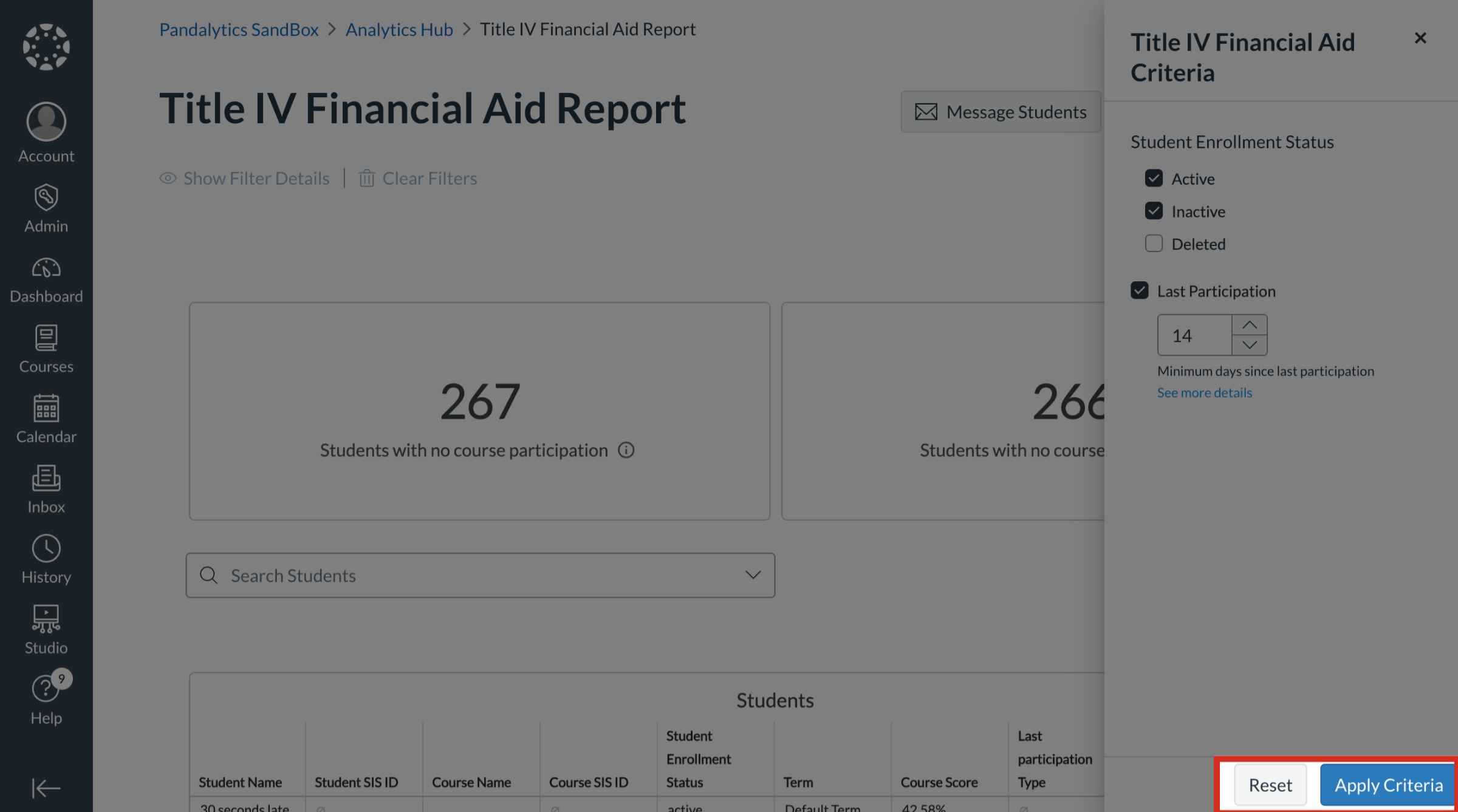
On the Title IV Financial Aid Report dashboard, click the Title IV Criteria button.
2. Select Student Enrollment Status
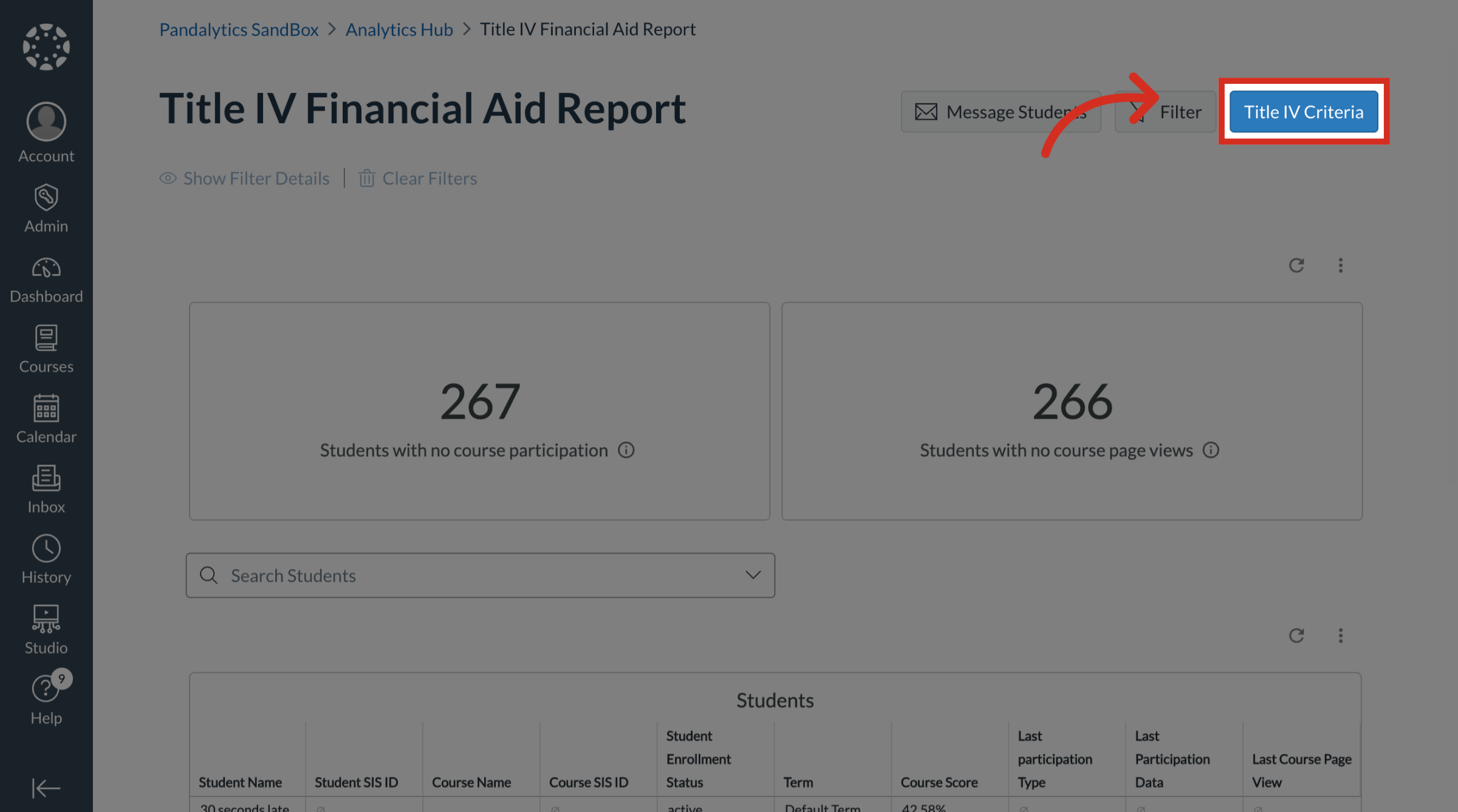
Select the following Student Enrollment Status to display:
Active
Inactive
Delete
3. Select Last Participation
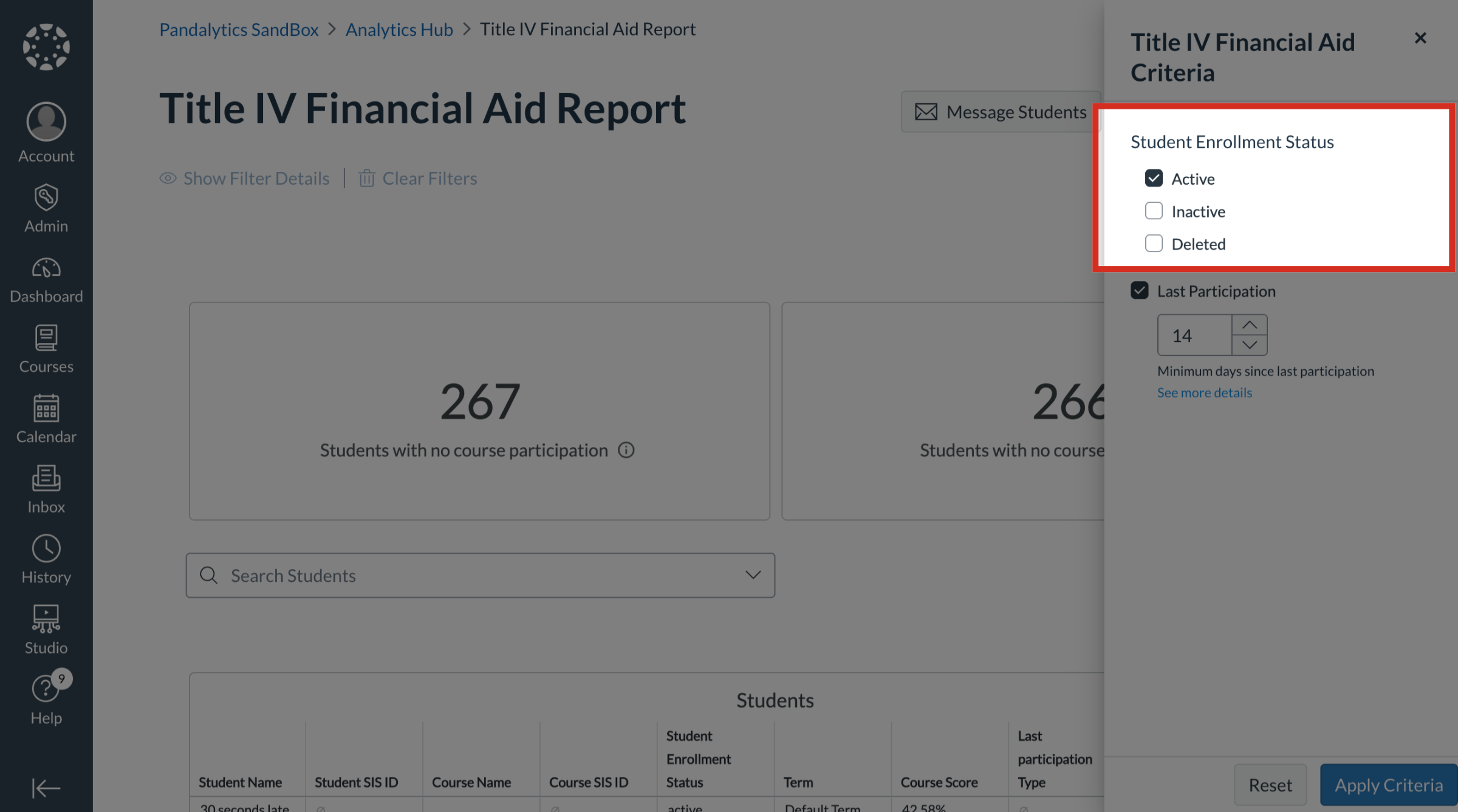
Select the Last Participation checkbox. Then enter the minimum days since last participation.
4. Apply or Reset Criteria
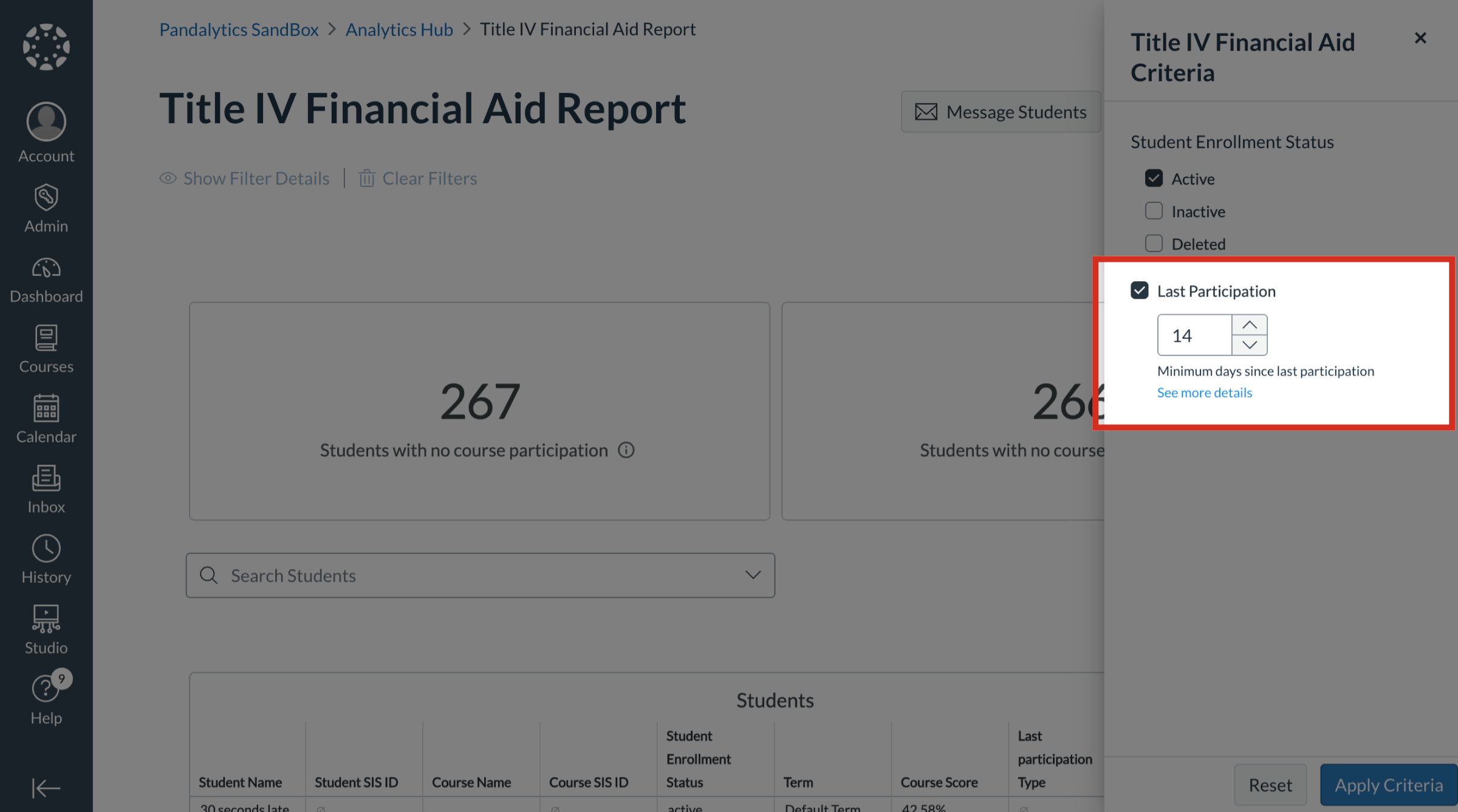
To apply the selected criteria, click the Apply Criteria button.
To reset the criteria, click the Reset button.