
How do I see Impact's release information?
You can view the latest Impact release information in the Impact Release Notes.
How do I see Impact's release information?
1. Open Impact Additional Resources
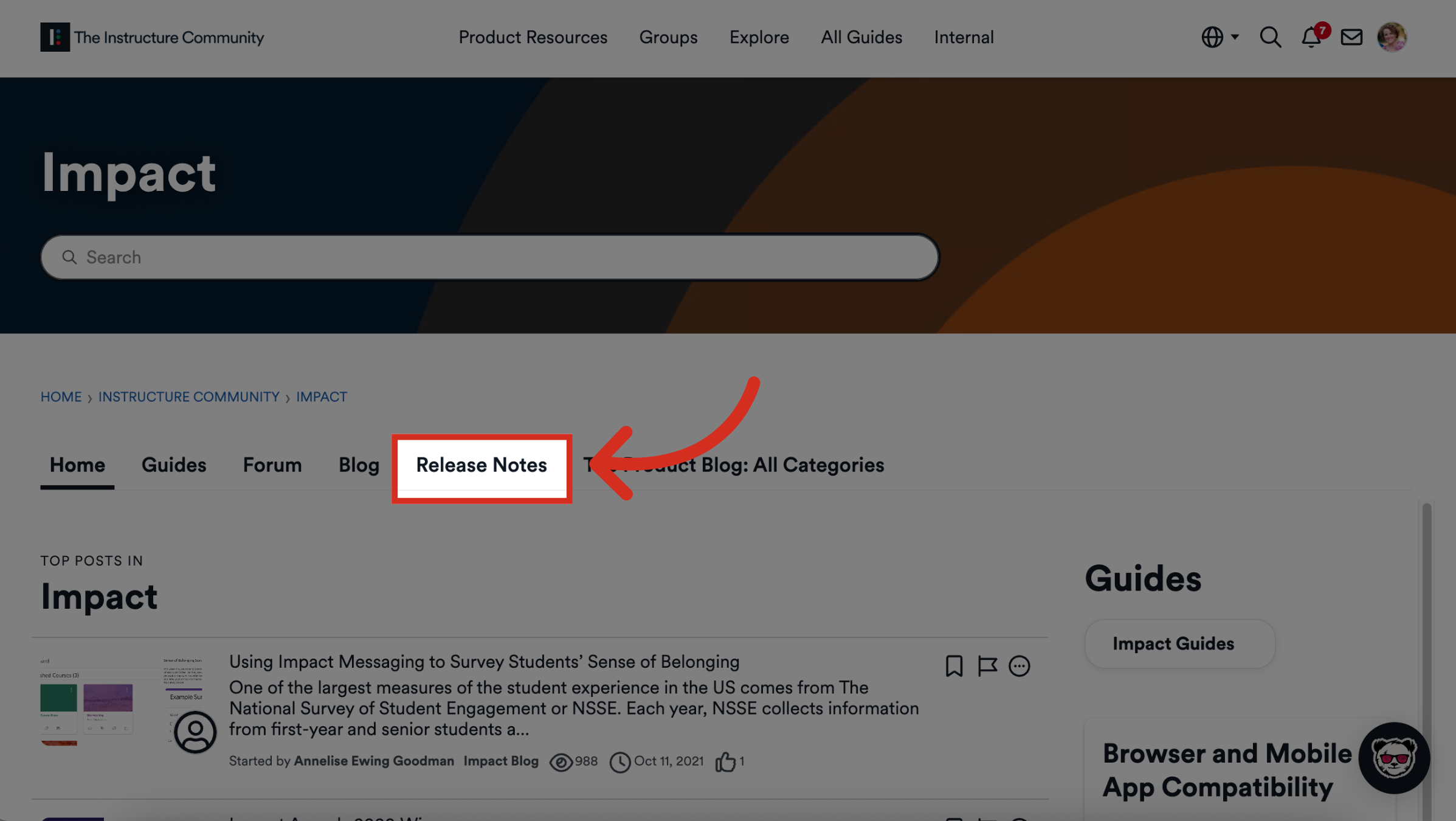
To view Impact Releases, click the Release Notes tab from the Impact Community.
2. View Impact Release Notes
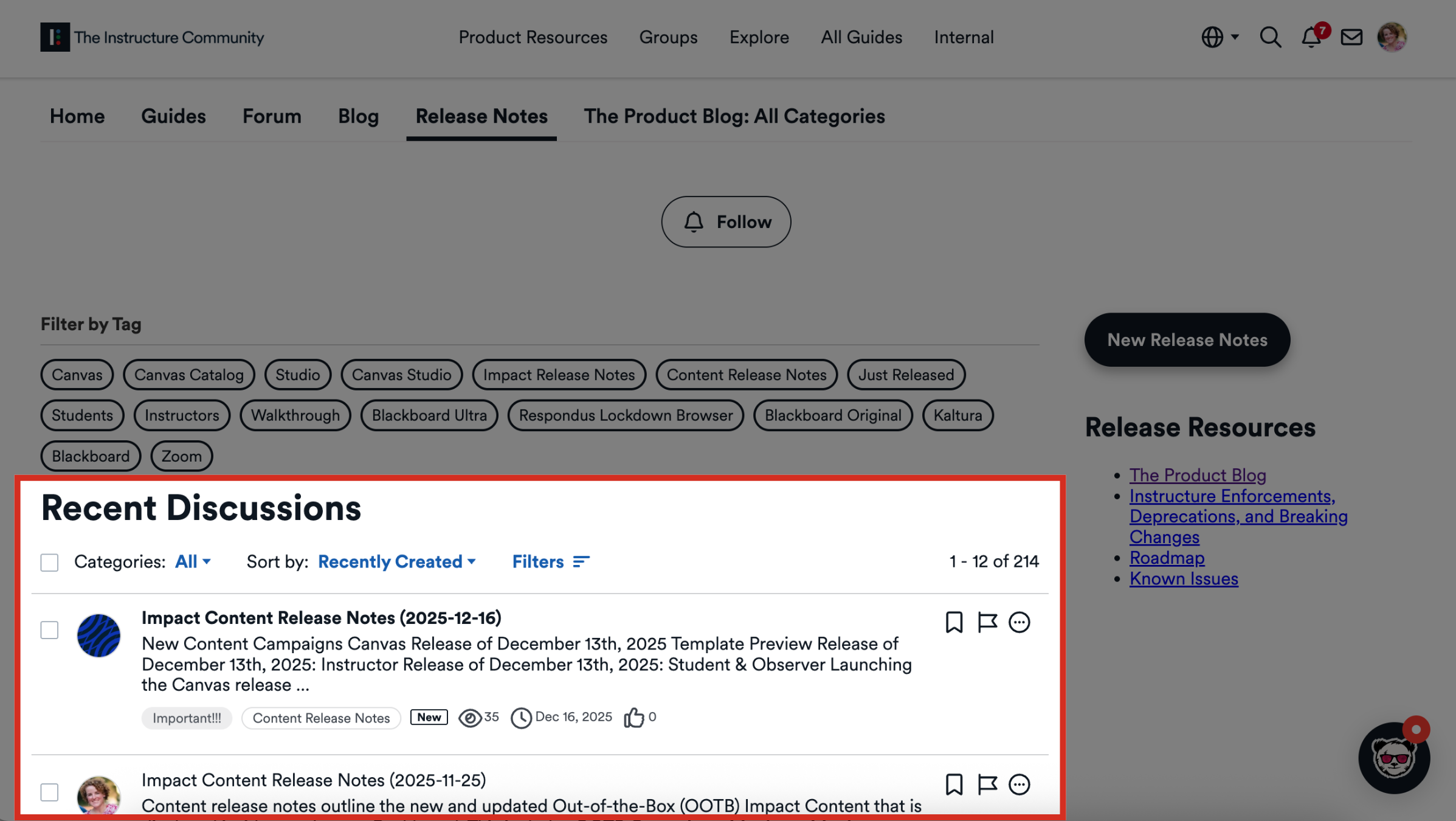
To view recent release notes, view the Recent Discussions thread.
3. View Categories
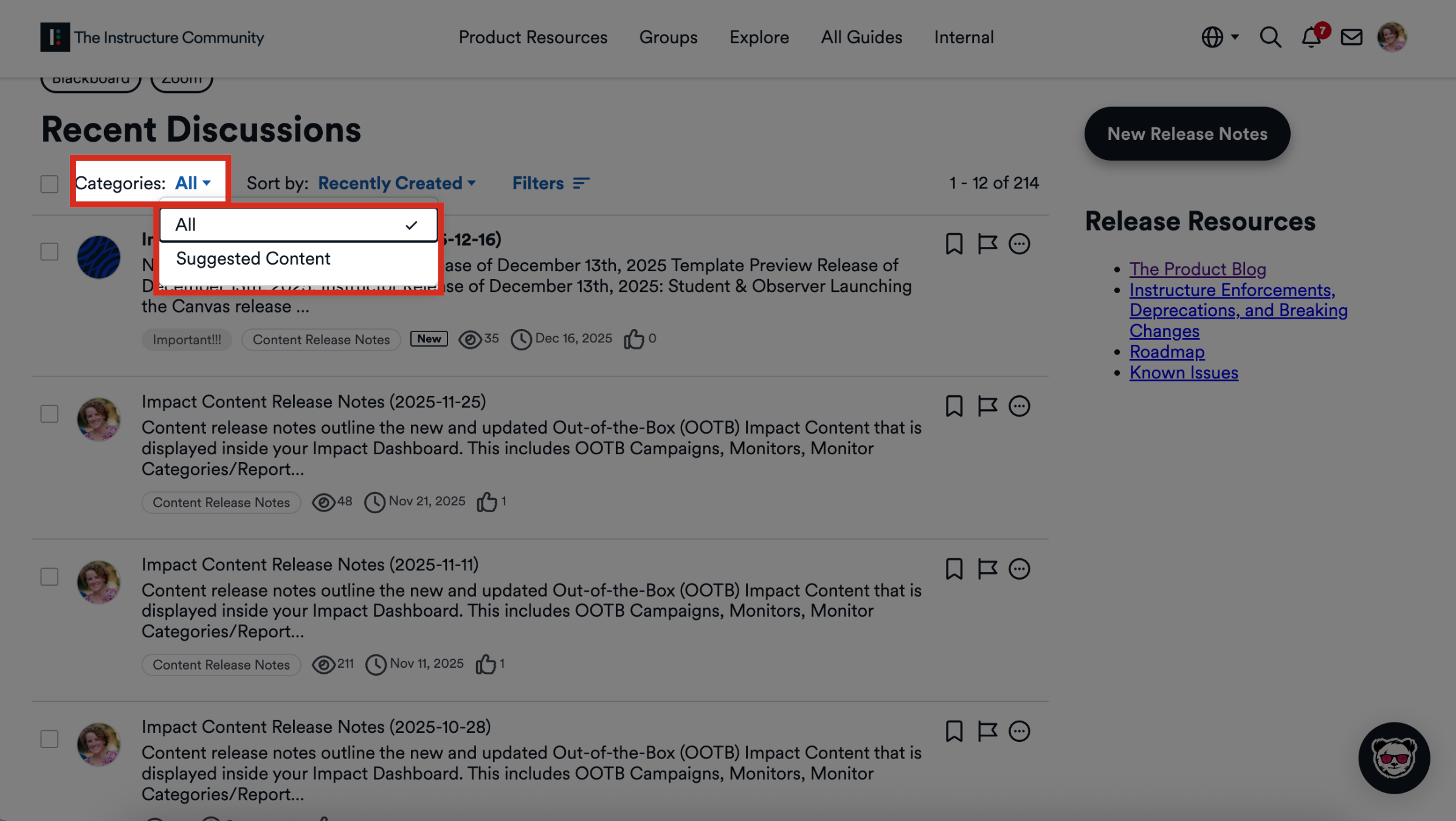
To view releases by categories, click the Categories dropdown menu and select All or Suggested Content.
4. Sort Releases
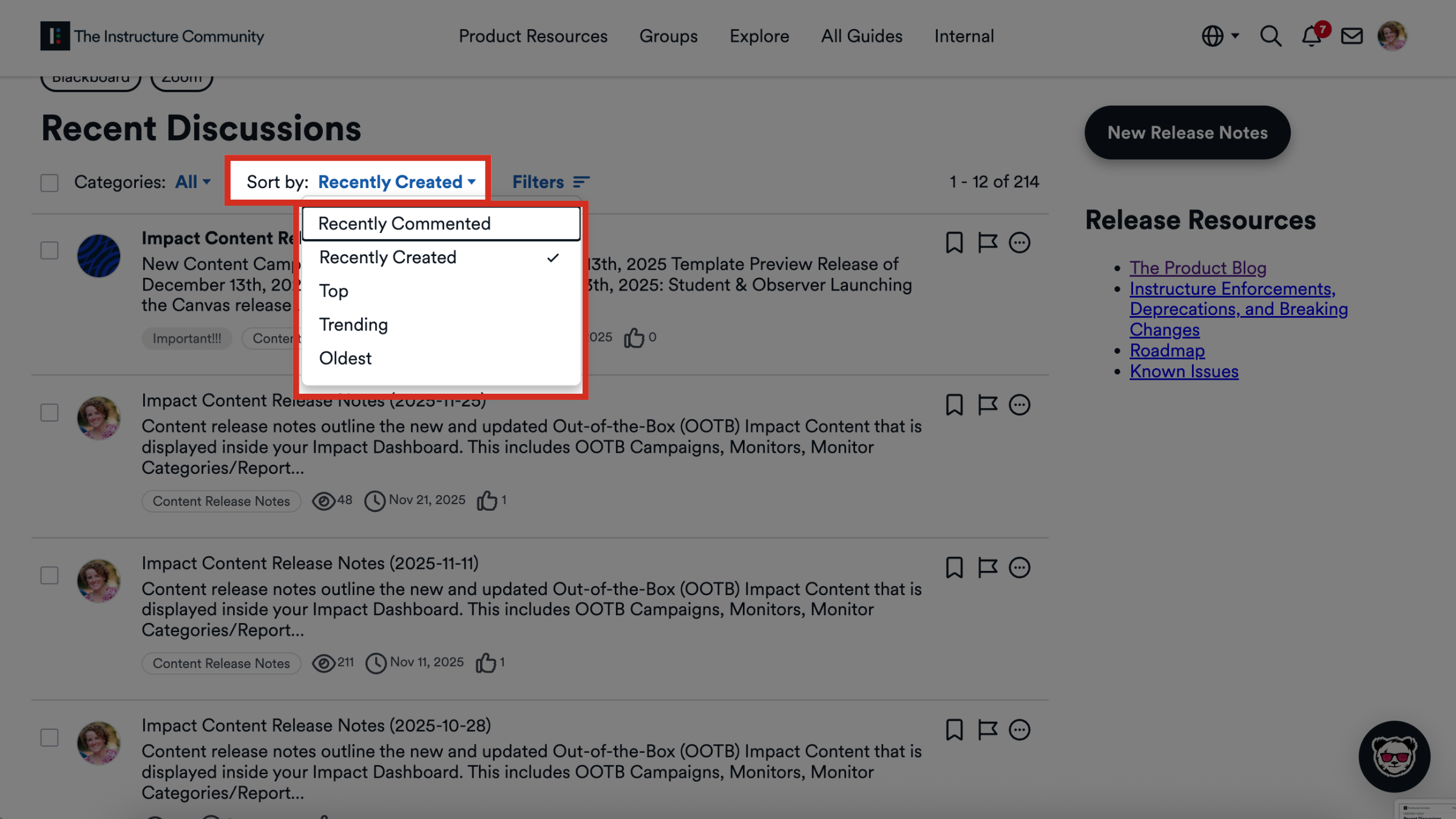
To sort releases, click the Sort by dropdown menu. You can sort releases by Recently Commented, Recently Created, Top, Trending, or Oldest.
5. Open Filters
To open release filters, click the Filters button.
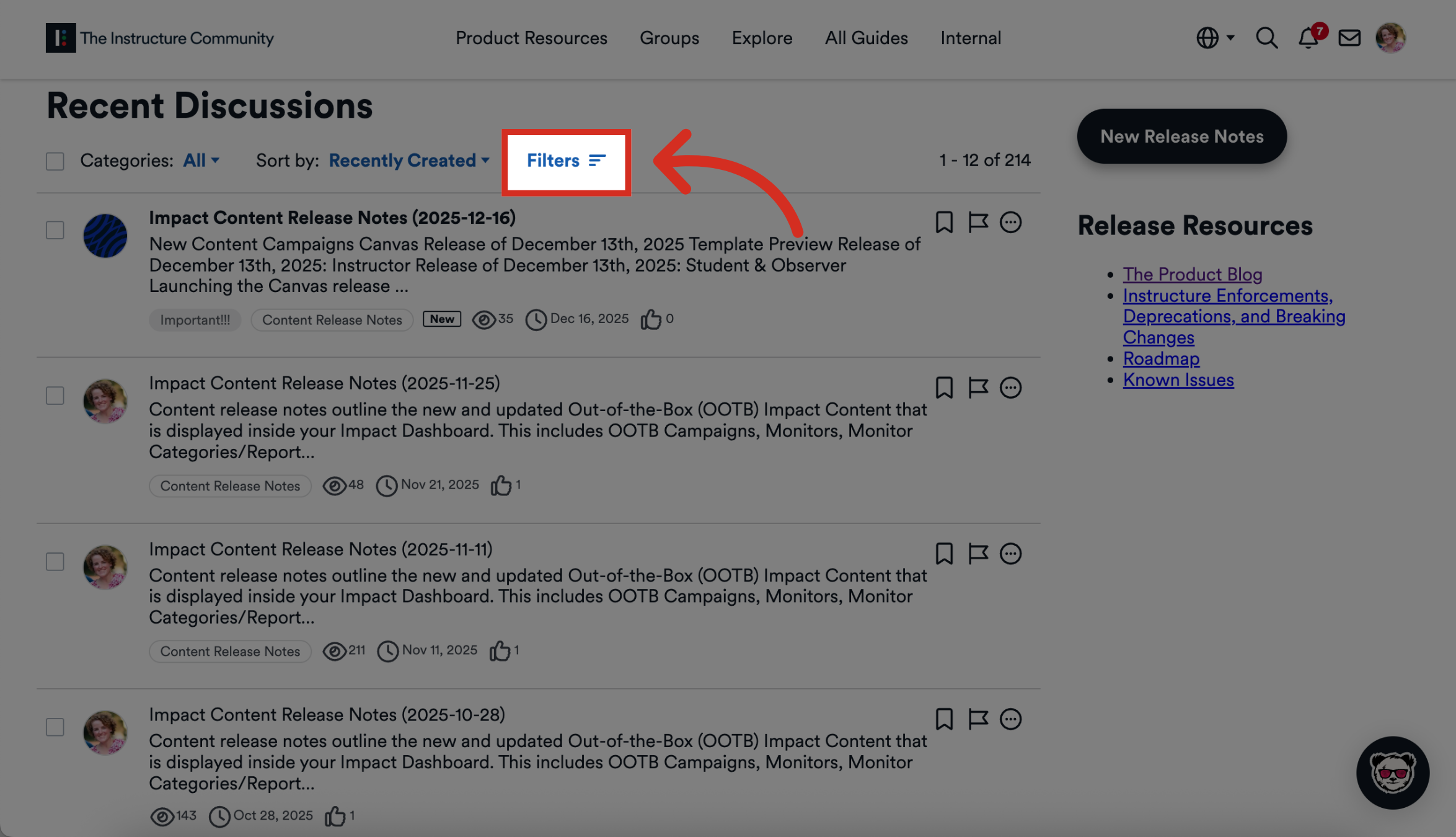
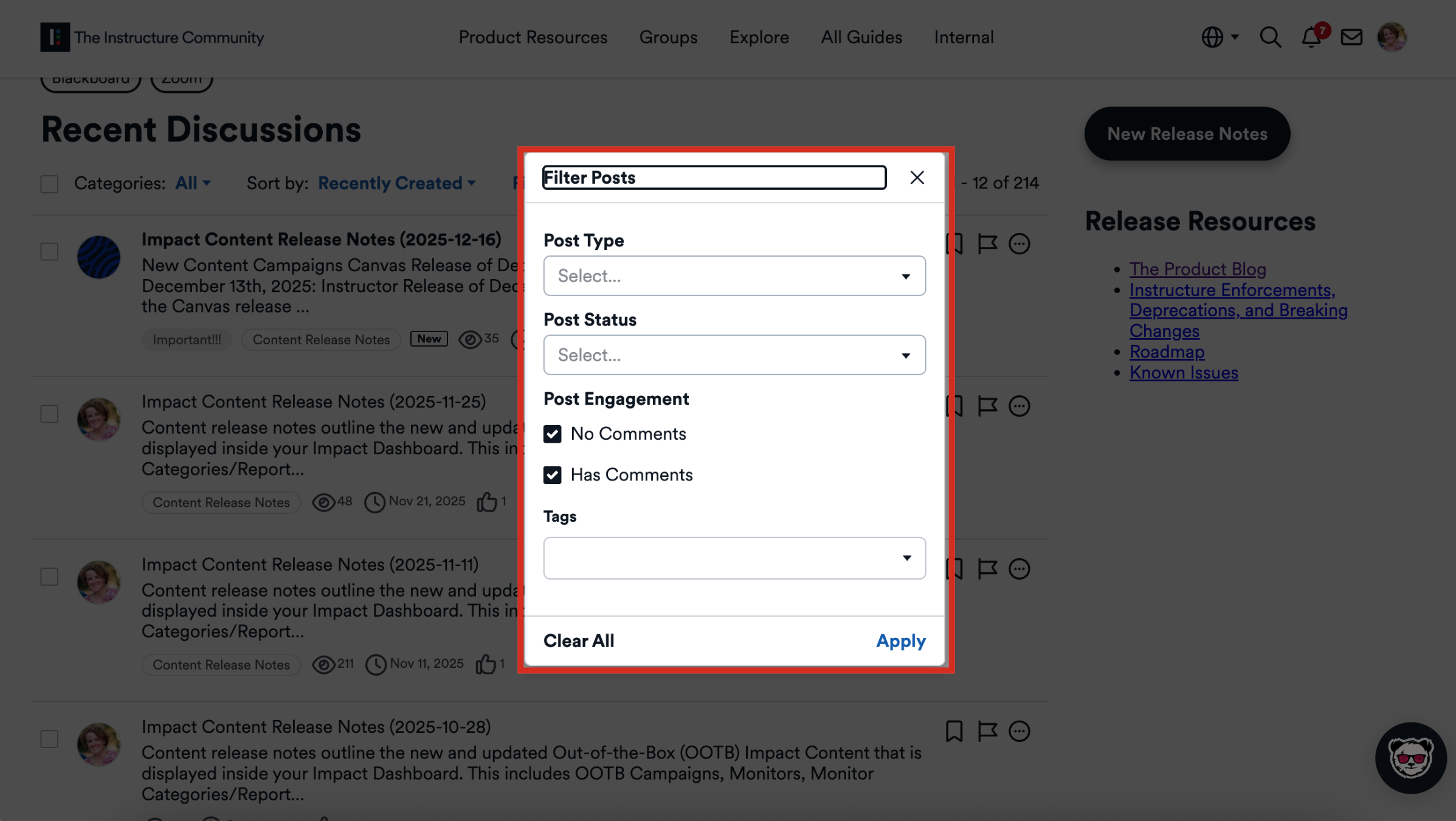
6. Filter Releases
You can filter releases by Post Type, Post Status, Post Engagement, or Tags. Then click the Apply button.
This guide covered how to see Impact's release information.
